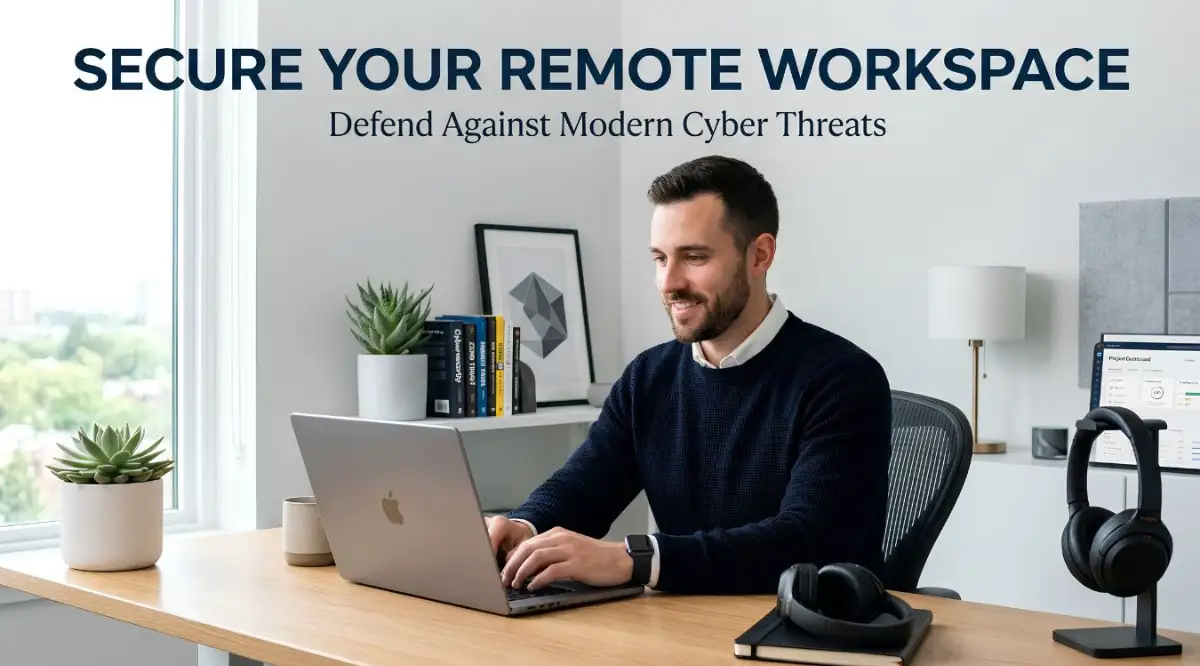
The Hidden Nightmare of Working From Home
So, you finally got your home office looking perfect. You have your coffee, your comfy chair, and zero commute. But let me ask you a quick question: did you ever actually secure your Wi-Fi? Most of us just plug in the router on day one and completely forget about it. That is exactly what hackers are banking on. Working from home is great, but leaving your digital front door wide open is a disaster waiting to happen. Let's fix your home network today before it turns into a major headache for you and your boss.
I still remember the exact moment my stomach dropped into my shoes. I was sipping my morning coffee in my living room, casually checking a few early emails on my laptop. Suddenly, my screen locked up completely, and a strange warning message popped up out of nowhere.
My home network had been secretly compromised, and the attackers were actively using my personal setup as a backdoor into our corporate servers. That single morning instantly turned into a living nightmare of frozen accounts, endless panicked calls with our IT department, and an overwhelming sense of guilt. I honestly thought working from home meant I was safe in my own personal bubble. I learned the hard way that home networks are exactly what modern cybercriminals are actively hunting.
Every single day, regular people are facing this exact same terrifying scenario. We set up our home offices thinking about comfort, completely forgetting that our internet connections are often left wide open. The peace of mind you feel while working in your pajamas can vanish in seconds when a hacker gains access to your private files.
What You Will Learn In This Guide:
- Why changing your default router password is the most important thing you will do today.
- How setting up a "Guest Network" keeps your kids' games away from your work files.
- Why you should completely avoid using free VPN apps for your job.
- The simple 3-2-1 backup rule that makes ransomware hackers powerless against you.
Rethinking Your Home Office Defense Strategy
We often believe that only massive corporations need to worry about digital defense. The truth is quite the opposite today. Attackers know that massive companies have massive defense budgets.
Instead of attacking the heavily guarded corporate castle, they target the weakly defended remote workers. You are the easiest way in. Let us break down how you can block these digital intruders using simple, everyday habits.
Locking Down Your Digital Front Door
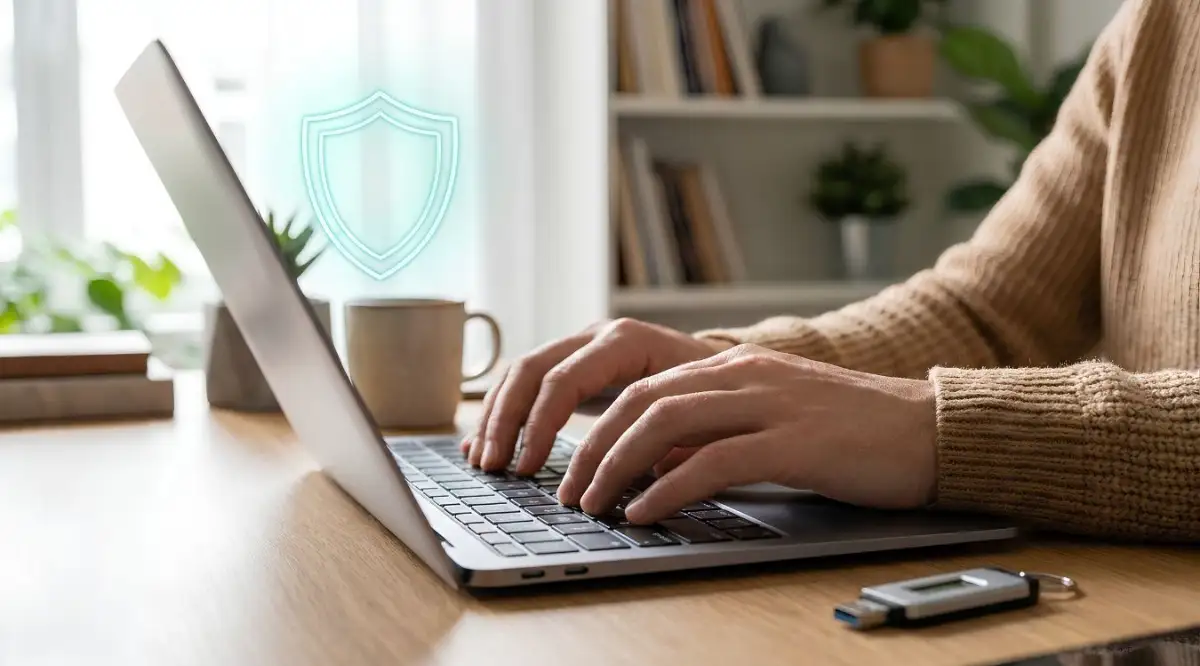
Your home Wi-Fi router is the main entrance to your entire digital life. Most people plug their router into the wall on day one and never look at it again. This is a massive mistake that hackers rely on.
Think of your router like the physical front door of your house. If you leave the factory default lock on it, anyone with a basic skeleton key can walk right inside. Hackers constantly scan residential neighborhoods for routers still using their default usernames and passwords.
Myth vs. Fact: Router Security
- The Myth: "Nobody cares about my home Wi-Fi. I do not have anything worth stealing."
- The Fact: Hackers do not care who you are. They use automated bots to scan thousands of routers every minute. They want to use your IP address to hide their tracks while doing illegal stuff online, or they want an easy path into your company's network.
The very first thing you need to do is change the login credentials for your router's admin panel. Do not just change the Wi-Fi password you give to guests. You must change the password that actually controls the router settings.
Next, you need to turn on automatic firmware updates if your router supports it. Firmware is basically the brain of your router, and manufacturers regularly release updates to fix known security holes. If you never update this software, you are leaving known broken windows open in your digital house.
Pro Tip: A few months ago, I finally logged into my old home router and realized my firmware was completely outdated. I spent exactly five minutes updating it and changing the admin password, and the immediate sense of relief I felt was absolutely worth the tiny effort.
Creating a Separate Lane for Work Traffic
When you work from an office, you are usually on a dedicated network that only company devices can access. At home, your work laptop is sharing the same network as your smart TV, your kids' gaming consoles, and your smart home devices.
Every single smart device you connect to your Wi-Fi adds another potential entry point for an attacker. Many cheap smart plugs or webcams have terrible security flaws. If a hacker breaks into your smart thermometer, they can easily jump over to your work laptop because they are on the same network.
The easiest way to fix this is by turning on the "Guest Network" feature on your router. Almost all modern routers have this option hidden in the settings. You should connect all your smart home devices and personal gadgets to this guest network.
Keep your main Wi-Fi network strictly reserved for your work laptop and your primary smartphone. This creates a virtual wall between your vulnerable smart devices and your highly sensitive work data.
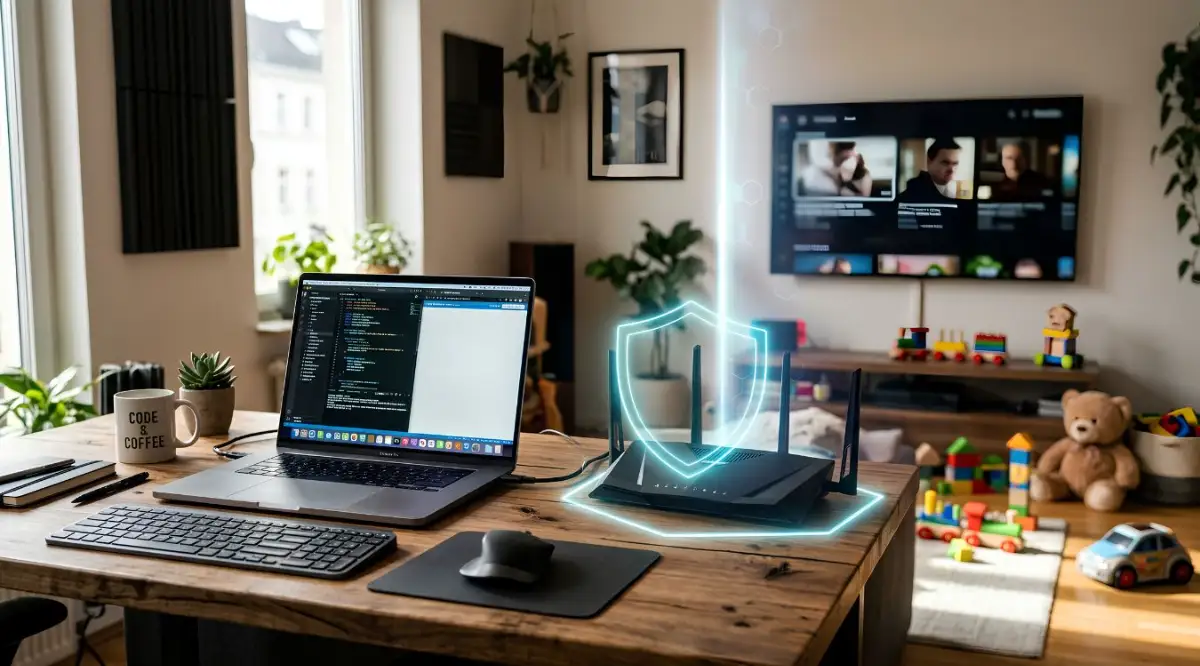
I used to let my kids play their online games on the exact same Wi-Fi I used for handling sensitive office emails. Once I figured out that a weak smart bulb or an old gaming console could let a hacker sneak right into my work laptop, I felt sick to my stomach. I quickly moved all our family gadgets over to a separate guest network, and it is honestly the smartest security habit I have adopted.
A Quick Introduction to Safe Browsing Practices:
If you think you would never fall for a fake email, this short video shows exactly how easily hackers trick smart people every single day. Watch this quick breakdown before you read the rest of the guide, because it will completely change how you look at your daily inbox!
The Human Element of Phishing Attacks
We like to think of hackers as people writing complicated lines of green text on a black screen. In reality, modern attacks are mostly psychological. They do not want to break through your software firewalls; they want to trick you into opening the door for them.
Phishing has evolved way past the silly emails offering millions of dollars from a foreign prince. Today, you might get a text message that looks exactly like it came from your boss asking for a quick favor. You might get an email that flawlessly mimics a Microsoft Teams notification urging you to log in.
Because we are working from home, we lack the ability to simply lean over and ask a coworker if an email looks suspicious. We are isolated, which makes us rush through emails and click links without thinking. Attackers know you are distracted by laundry, kids, or pets, and they use that distraction against you.
Whenever you receive an urgent request for money, passwords, or strange file downloads, you must stop and breathe. Always verify the sender's actual email address, not just the display name. If your boss supposedly sends a frantic text, call them on the phone to confirm it is actually them.
Building Unbreakable Digital Keys
We have to talk about how you manage your passwords. I know it is annoying to remember a dozen different complex passwords for your remote work tools. However, using the same password for your work email and your personal streaming accounts is a recipe for absolute disaster.
If a random website gets hacked, the attackers will steal that entire database of passwords. They will then take your email and password combination and test it across hundreds of other sites. If you reuse passwords, a breach on a random forum can suddenly compromise your company software.
The Power of a Password Manager
The only logical way to handle modern passwords is by using a trusted password manager. This software generates incredibly long, random passwords for every single website you use. You only have to remember one master password to unlock your vault.
This means even if one website gets hacked, the rest of your accounts remain completely safe. Password managers also protect you against fake websites. If you land on a fake login page designed to steal your credentials, the password manager will refuse to autofill because it knows the web address is wrong.
Adding a Second Layer of Defense
Even the strongest password in the world can be stolen if you accidentally type it into a fake website. This is why Multi-Factor Authentication (MFA) is absolutely mandatory for any remote work setup. MFA simply means you need a second piece of proof to log in, usually a temporary code sent to your phone.
Many people find this extra step slightly annoying when they just want to check their email quickly. But think about what it actually does. Even if a hacker perfectly steals your password, they cannot get into your account unless they also physically steal your smartphone.
Always choose an authenticator app over standard text messages for your codes. Text messages can be intercepted by advanced attackers who trick your phone carrier. An authenticator app generates the codes locally on your device, making it significantly safer.
Securing Your Physical Environment
When discussing cyber threats, we often ignore the physical safety of our devices. If you take your work laptop to a local coffee shop for a change of scenery, you are suddenly exposed to entirely new risks. Leaving your laptop open and unlocked while you grab a coffee is a massive risk.
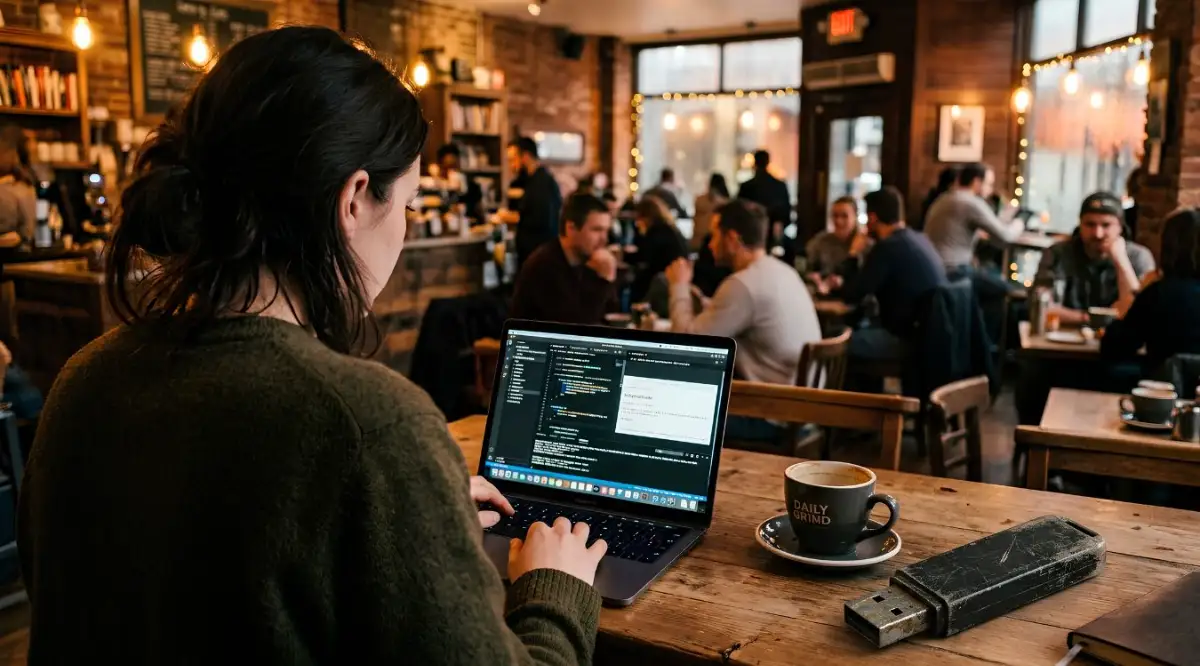
Always lock your screen the exact moment you step away from your computer. It takes less than ten seconds for someone to walk by and plug a malicious USB drive into an open laptop. Make it a muscle memory habit to hit the lock shortcut every time you stand up.
Quick Security Check: The 10-Second Rule
Do you work in cafes a lot? Try building this simple habit:
- Hit Windows Key + L (or Control + Command + Q on Mac) every single time you stand up.
- Never leave your phone facing up on the table.
- Close your laptop lid if you are stepping away to grab a napkin. It sounds paranoid, but physical theft takes less than ten seconds.
Furthermore, be mindful of who can see your screen if you are working in a public space. Shoulder surfing is a very real tactic where someone simply records you typing your passwords from a distance. Investing in a cheap privacy screen protector makes your monitor look completely black to anyone sitting beside you.
Managing Software and System Health
It is incredibly easy to click "remind me tomorrow" when your computer asks to do a system update. When you are rushing to finish a project, a thirty-minute update feels like a massive waste of time. But those updates are rarely just about new features; they are mostly security patches.
When a software company discovers a weakness in their code, they send out an update to fix it. If you ignore that update, you are publicly announcing to hackers that your system is still vulnerable to known tricks. Hackers specifically target computers running older versions of operating systems.
Set your computer to automatically download and install updates overnight while you sleep. This way, your system stays constantly protected without interrupting your busy workday. Do the exact same thing for your web browser and all the extensions you use.
The Danger of Shadow IT
Shadow IT refers to any software or tools you use for work without your company's official approval. Sometimes the tools your company provides feel slow or clunky. You might be tempted to use a random free file converter online to speed up your workflow.
The problem is that you have no idea where that free website stores your uploaded files. You might accidentally hand over highly confidential client documents to a sketchy foreign server. Always stick to the approved software list provided by your employer.
If you truly need a new tool to do your job efficiently, talk to your IT department and ask for an official solution. Do not take matters into your own hands when it involves sensitive corporate information. The temporary convenience is never worth the risk of a massive data leak.
Using Virtual Private Networks Correctly
A Virtual Private Network (VPN) encrypts your internet connection, hiding your data from anyone trying to snoop on the network. If your company provides a corporate VPN, you should use it religiously. This ensures a secure tunnel between your home office and the corporate servers.
However, be extremely careful if you decide to buy your own personal VPN. Many free VPN apps on your phone or computer actually sell your browsing data to make money. Always research and pay for a highly reputable service if you need one for personal use.
Whenever you connect to a public Wi-Fi network at a hotel or airport, your VPN must be turned on immediately. Public Wi-Fi is notoriously easy to monitor, and attackers often set up fake networks just to steal passwords. Your VPN acts as an armored car for your data while it travels across these dangerous public roads.
Final Thoughts on Daily Vigilance
Securing your remote workspace is not a one-time setup that you can simply forget about. It is an ongoing habit, much like locking your doors before you go to sleep at night. The threats will keep changing, but these fundamental practices will keep you remarkably safe.
You do not need to be a computer genius to stop a cyber attack. You just need to slow down, separate your personal and work digital lives, and use the built-in security tools available to you. By taking these simple steps today, you guarantee that your home office remains a safe haven for your daily productivity.
Taking Your Home Security to the Next Professional Level
Now that we have covered the basics of locking your digital front door, we need to talk about long-term defense. Hackers are incredibly persistent, and they constantly change their tactics to break into home offices. Setting up your security once is simply not enough to keep your personal data completely safe.
You need to adopt a proactive mindset that automatically blocks threats before they even reach your laptop. One of the best-kept secrets in IT is changing your home router's Domain Name System (DNS) settings. Think of a DNS as the internet’s phone book, translating website names into actual computer addresses.
By default, you use your internet provider's phone book, which usually allows you to visit any website, even known malicious ones. You can easily switch your router to a secure DNS provider like Quad9 or Cloudflare. These secure services actively block access to known scam websites, acting as a massive invisible shield for every device in your house.
Pro Tip: When I first changed my router's DNS settings, I honestly expected my internet to slow down. Instead, my connection actually felt a bit faster, and I immediately noticed fewer weird pop-up ads on my personal devices.
Mastering the Art of Complete Data Backups
Most remote workers completely ignore backups until the exact moment their hard drive makes a terrible clicking sound. If a cybercriminal locks your laptop with ransomware, they will demand a massive payment to give your files back. Paying them never guarantees they will actually unlock your precious data.
This is where the famous 3-2-1 backup rule becomes your ultimate safety net. You should always have three copies of your data, stored on two different types of media, with one copy kept completely offsite. For example, keep your original files on your laptop, a second copy on an external hard drive, and a third copy in a secure cloud storage account.
If ransomware encrypts your main laptop, you can simply wipe the computer clean and restore everything from your cloud backup. This makes the hackers completely powerless against you. You will never have to face the terrifying choice of paying a criminal or losing your career's work.
A sudden ransomware attack can also cause severe financial panic if your banking details are compromised. Recovering from identity theft often requires paying legal fees, opening new accounts, and surviving while your primary accounts are frozen. This is exactly why building a secure emergency fund is just as important as installing good antivirus software.
The Hidden Threat to Your Personal Identity
Cybercriminals do not just want your corporate data; they heavily target your personal life too. Medical records are actually worth significantly more on the dark web than standard credit card numbers. Hackers use stolen health profiles to commit massive medical billing fraud under your name.
You must protect the passwords to your health insurance portals with the exact same intensity you use for your online banking. Always turn on two-factor authentication for any website holding your medical history or billing details. Staying proactive about this helps you safely continue managing personal health care expenses without sudden, fraudulent surprises.
When you follow trusted internet safety guidelines, you quickly realize that privacy and security go hand in hand. You cannot have a truly secure remote work setup if you are constantly giving away your personal details to sketchy apps. Always read the permissions before you install a new app on your work phone.
If an app meant for scanning documents suddenly asks for permission to view your text messages, delete it immediately. These small, seemingly harmless apps often serve as quiet spies sitting directly on your home network. Defending your digital space requires questioning every single piece of software you download.

The Devastating Traps Remote Workers Fall Into
The biggest mistake you can ever make is believing you are too unimportant to be targeted. People often tell me, "I am just a graphic designer working from my living room, why would hackers care about me?" Hackers absolutely care because you are a perfectly vulnerable stepping stone.
They use automated software that scans millions of home networks every single night, looking for easy targets. They do not care about your job title; they just want to exploit your weak Wi-Fi password to launch larger attacks. Overconfidence is the absolute greatest weapon you can hand over to a digital intruder.
Blurring the Lines Between Family and Work
Another massive pitfall is letting family members use your dedicated work computer for personal activities. I know it is extremely convenient to let your child play a quick web game on your laptop while you cook dinner. However, children are notorious for clicking bright, flashing download buttons that actually install hidden malware.
Your work computer must remain a sacred, isolated tool used strictly for your profession. Mixing your personal entertainment with your highly confidential client spreadsheets is a disaster waiting to happen. If you cannot afford a second computer, you must create a completely separate, heavily restricted user profile for your family members.
When things go wrong, people usually panic and try to hide the mistake from their boss. If you accidentally click a bad link, shutting your laptop and pretending it never happened will only make the damage exponentially worse. You must report any suspicious activity to your IT department the exact second you notice it.
Keeping a clear record of when the strange computer behavior started helps the security team track the infection. Much like properly recording workplace incidents, having an exact timeline of a cyber event can save your company from a total data collapse. Never let embarrassment stop you from sounding the alarm.
Ignoring the Silent Danger in Your Pocket
We spend so much energy securing our large laptops that we completely forget about the tiny computers in our pockets. Your smartphone likely has direct access to your work email, corporate chat apps, and internal company documents. If your phone is not secured, your entire remote work setup is completely compromised.
People constantly ignore operating system updates on their phones because they do not want to wait for the device to restart. Those updates contain critical patches that stop hackers from silently taking over your phone's camera and microphone. Leaving your mobile device outdated is basically leaving your digital windows wide open.
You must also be incredibly careful about the charging cables you use in public spaces. Cybercriminals often modify public USB charging stations at coffee shops and airports to secretly steal data from plugged-in phones. This trick is called "juice jacking," and it completely bypasses your phone's standard security software.
Always carry your own physical charging block and plug it directly into a standard electrical wall outlet. If you absolutely must use a public USB port, invest in a cheap "data blocker" attachment. This tiny device allows power to flow into your phone but physically blocks any hidden data transfers.
The Illusion of Free Privacy Tools
Many remote workers try to cut corners by downloading completely free security software. You will see hundreds of free antivirus programs and free VPNs heavily advertised across social media. You need to remember a very old business rule: if a product is completely free, your personal data is usually the actual product.
Shady free VPN companies regularly track every single website you visit and sell that detailed history to advertisers. Some even inject their own hidden tracking codes into your web browser to monitor your online shopping habits. Relying on these tools completely defeats the purpose of trying to protect your safeguarding personal digital privacy.
Instead of trusting random free apps, look for industry standard defense strategies recommended by real security professionals. Talk to your employer about providing a budget for legitimate, paid security software for your home office. Your peace of mind and the safety of their corporate data is absolutely worth the small yearly subscription fee.
When you fall for these common traps, the stress can easily spill over into your physical life. Dealing with the fallout of stolen data takes a massive toll on your mental health and your wallet. This is why having a solid backup plan, like balancing personal debt and savings, gives you the breathing room to handle unexpected digital disasters.
Your Action Plan for a Bulletproof Home Office
Protecting your remote workspace does not require a degree in computer science or expensive enterprise hardware. It simply requires a steady commitment to building better digital habits every single day. The overwhelming majority of cyber attacks succeed because someone rushed through a task or ignored a basic warning sign.
By slowing down, questioning suspicious emails, and separating your work devices from your smart home gadgets, you instantly become a hard target. Hackers are fundamentally lazy criminals who prefer to attack the easiest possible victims. When you implement these highly effective, simple barriers, the bad guys will simply move on to someone else.
Take a few minutes this evening to log into your router, update your passwords, and turn on two-factor authentication for your most important accounts. These tiny, five-minute actions compound over time to create a massive wall around your personal and professional life. If you notice any strange billing issues during your regular check-ins, knowing how to handle understanding medical copays and billing keeps you protected against hidden identity fraud.
Always keep an exact written log of any strange technical issues you face while working from home. Thoroughly documenting workplace events properly ensures that if a breach ever does happen, your IT team has the exact clues they need to fix it instantly. You have the total power to control who gets access to your digital life.
I know first-hand how overwhelming it feels to worry about hackers invading your quiet home office. But I promise you, taking control of your router settings and updating your passwords today will give you a massive sense of relief. Start with just one small security step right now, and confidently reclaim your peace of mind.
Common Questions About Remote Workspace Security
Can my employer actually see my personal home network traffic?
If you are using a corporate VPN on your work laptop, your employer can usually see the web traffic traveling through that specific device. However, they cannot see what you are doing on your personal smartphone or your smart TV connected to the same home Wi-Fi. To keep your personal browsing completely private, always keep your work and personal devices clearly separated.
Do I really need to buy antivirus software if I only use a Mac?
Yes, you absolutely still need good protection even if you use a Mac. While Windows computers used to be the primary targets, hackers now create specific malware designed entirely to attack Apple devices. Your Mac has great built-in security, but adding a trusted, secondary antivirus layer catches the highly advanced tricks that bypass Apple's default defenses.
Is it genuinely safe to work from a coffee shop using their free Wi-Fi?
Public Wi-Fi is inherently dangerous because anyone sitting nearby can easily intercept the network traffic. If you must work from a cafe, you absolutely need to turn on a premium, paid VPN before opening any work files. Even better, simply use the personal mobile hotspot feature on your smartphone to create a private connection that nobody else can join.
How often should I actually change my main Wi-Fi password?
You should change your main home Wi-Fi password at least once every six to eight months. You should also change it immediately if you recently went through a bad breakup, fired a house cleaner, or suspect a neighbor might be stealing your connection. Changing the password automatically kicks every single old device off your network, giving you a completely fresh, secure start.
What should I do first if I accidentally click a suspicious email link?
Do not panic and do not try to simply close the window to hide your mistake. Immediately disconnect your computer from the Wi-Fi or physically unplug the internet cable so the malware cannot talk to the hacker. Once you are completely offline, use your smartphone to immediately call your company's IT support team for exact next steps.
You really do not have to feel scared every time you open your laptop in your living room. Pick just one simple step from this guide today, like updating your router password, and you will instantly feel so much better about your digital safety. You have totally got this, and protecting your home office is way easier than it looks!
Disclaimer: The information provided in this article is for educational and informational purposes only and should not be construed as official IT or legal advice. Cyber threats change constantly, and security practices must be adapted to fit your specific network setup. Always consult with your employer's official IT department or a certified cybersecurity professional before making major changes to your work devices.