

What to do right away if you sent Crypto to the Wrong Network
You hit 'Send', check your wallet, and see zero. Panic sets in. I have been there, watching my hard-earned USDT vanish just because I chose the wrong network dropdown. But before you write off that money as gone forever, take a breath. I am going to show you the exact, no-nonsense recovery steps that got my funds back safely.
I felt a cold sweat run down my back. I thought that money was gone forever. It was a decent amount, enough to pay my rent for two months. I spent the next four hours frantically searching for answers, feeling like a complete idiot. My hands were shaking as I typed into Google. I know exactly how you feel right now if you are reading this.
You are probably feeling that same pit in your stomach. It is a mix of anger, fear, and a lot of "why did I do that?" You might be worried about how you will explain this to your partner or how you will cover your expenses. It is a lonely feeling because crypto can feel so cold and final when things go wrong. But I want you to take a deep breath because most of the time, there is a way out.
The Mental Toll of a Digital Mistake
When we lose money in the physical world, like dropping a wallet, we know there is a chance someone might find it. In the crypto world, it feels like your money just vanished into a dark void. This creates a huge amount of stress. I have seen people lose sleep and stop eating because of a simple click on the wrong button.
The struggle is real because blockchain is built to be "permanent." This word scares us. We think that if it is permanent, then the mistake is also permanent. This leads to a lot of mental pressure. You might feel like you are not "smart enough" for crypto. Please, stop that thought right now. Even experts make this mistake when they are tired or in a hurry.
Your peace of mind is worth more than any coin. I realized that night that panic only makes things worse. When we panic, we make more mistakes. We might click on "recovery" scams or give our private keys to someone pretending to be "support." We need to stay calm to follow the logic of the blockchain.
Quick Action Plan (If You Sent Crypto to the Wrong Network):
- Don't panic: If it is an EVM network (like ETH to BSC), your private keys still control the funds.
- Check the explorer: Paste your address into Etherscan or BscScan to verify the tokens actually arrived safely.
- Add the custom network: Simply switch your MetaMask or Trust Wallet to the network you accidentally used.
- Centralized Exchanges: You will need to open a support ticket with the TXID; most major exchanges offer a manual recovery service for a small fee.
Identifying the Type of Your Network Error
The first thing I had to do was figure out exactly what kind of "wrong" I had committed. Not all "wrong network" mistakes are the same. Some are very easy to fix, while others take a bit more work. You need to look at your transaction history and see where the money started and where it was supposed to go.
Most of the time, this happens with EVM (Ethereum Virtual Machine) compatible chains. This includes Ethereum, Binance Smart Chain, Polygon, and Avalanche. If you sent a token from one of these to another, the good news is that the "address" is actually the same on all of them. This is the biggest secret that saved my funds.
However, if you sent Bitcoin to an Ethereum address, that is a different story. Or if you sent Solana to a Cardano wallet. These are different "languages" entirely. Identifying which category you fall into is the "Step 0" of your recovery journey. Check your transaction hash on a "block explorer" like Etherscan or BscScan right now.
Myth vs. Fact: Network Errors
- Myth: If I send crypto to the wrong chain, the blockchain burns it instantly.
- Fact: If you used EVM chains (like Ethereum, BSC, or Polygon), they share the exact same wallet formatting. Your funds are just hanging out on a parallel network, waiting for you to switch your wallet view.
My biggest realization during this whole mess was that blockchains aren't black holes; everything is just a math puzzle waiting to be solved. Once I stopped randomly clicking buttons out of fear and just learned how to read a block explorer, getting my coins back actually became pretty easy. Take it from my mistakes—always slow down, stop guessing, and let the real data guide your next move.
Recovering Funds from a Self-Custody Wallet
If you sent the crypto to your own wallet, like MetaMask or Trust Wallet, you can relax a little bit. Since you own the private keys or the seed phrase, you own the "house" on every network that uses that address. The money isn't gone; it is just sitting in a room you haven't opened yet.
When I did this, I had to manually add the Binance Smart Chain network to my MetaMask. At first, MetaMask only showed my Ethereum balance, which was zero. Once I added the BSC network and the specific "contract address" for USDT, my money magically appeared. It was like a weight was lifted off my chest.
Pro Tip: I learned the hard way that you should always do a "test transfer" first. Even if the fee is a few dollars, it is worth the peace of mind. Now, I never send more than $5 on a new path until I see it arrive safely in my wallet. This one habit has saved me from countless nights of stress.
How to Add a Custom Network to Your Wallet
To see your "lost" funds, you need to tell your wallet where to look. Most wallets allow you to "Add Network" in the settings. You will need the RPC URL, the Chain ID, and the Symbol. You can find these on the official websites of the network (like the Polygon Wiki or Binance Docs).
Once the network is added, you might still see a balance of zero. Don't panic again! You probably need to "Import Token." You have to find the specific contract address for the coin you sent on that specific network. For example, USDT on Polygon has a different contract address than USDT on Ethereum.
If you are a visual learner, watch this quick video below to see exactly where to click to add a new network on your screen, and then keep reading the rest of the guide to learn how to fix tricky exchange errors.
Dealing with Centralized Exchange Errors
Now, if you sent the money to a "wrong network" address on a centralized exchange like Binance, Coinbase, or KuCoin, the process is different. In this case, you do not own the private keys. The exchange does. This means you have to ask them for help, and this requires a lot of patience.
I have helped friends through this process several times. You have to open a support ticket. Be very polite and very clear. Give them the Transaction ID (TXID), the name of the coin, and the network you accidentally used. Tell them exactly which network it was supposed to go to.
Copy-Paste Support Ticket Template:
If you need to contact an exchange, use this exact format to get faster help:
Hey Support Team,
I accidentally deposited [Coin Name] using the [Wrong Network] network instead of [Correct Network].
My Deposit Address: [Your Address]
Transaction Hash (TXID): [Paste TXID here]
Can you please assist with the manual recovery process? I understand there might be a standard fee.
Most big exchanges now have "Automatic Recovery" tools for common mistakes. They might charge a small fee (like $50 or $100) to manually move the funds back. While it sucks to pay a fee, it is better than losing the whole amount. Just remember, their support teams are busy, so it might take a few days or even weeks.
The Science of Public and Private Keys
To understand why recovery is possible, we have to look at the logic behind it. Your "Public Key" is like your home address. Your "Private Key" is the physical key to the front door. On EVM chains, your home address is the same across many different "cities" (networks).
If someone sends a letter to 123 Main St in "Ethereum City," but they accidentally send it to 123 Main St in "Polygon City," the letter is still at your house. You just have to drive over to Polygon City to pick it up. Since you have the key to 123 Main St, you can open the door in any city.
This logical consistency is what makes crypto recovery possible for most users. It is not magic; it is just math. Understanding this helped me stop feeling like the money had vanished into thin air. It was just sitting on a different "layer" of the same digital map.
Why Some Transfers are Harder to Recover
There are times when recovery is much harder. For example, if you sent crypto to a "Contract Address" instead of a "Wallet Address." A contract is like a vending machine. If you throw money into a vending machine that isn't programmed to take it, that money might be stuck inside the machine forever.
Also, if you used a network that the receiving exchange does not support at all, they might not be able to help you. If their system isn't "plugged into" that blockchain, they can't see your money. In these cases, you often have to wait until the exchange decides to support that network in the future.
This is why I always tell people to double-check the "Network" tab on the deposit page. Exchanges usually show a list of supported networks. If you use one that isn't on that list, you are essentially sending money to a locked building where nobody has the key yet.
Staying Safe from Recovery Scams
The moment you post on Twitter or Reddit saying "I sent crypto to the wrong network," a dozen "Support Agents" will message you. These are 100% scammers. They will tell you to "validate your wallet" or give them your "seed phrase."
I almost fell for this once. A guy with a professional-looking profile told me he could "reverse the transaction" if I just linked my wallet to his website. Luckily, I remembered the golden rule: Never share your 12 seed words with anyone. Not even your mother. Not even a "support" agent.
Real recovery happens inside your own wallet or through the official help desk of an exchange. It never happens via a DM on Telegram. If someone asks for your keys to "help" you, they are actually trying to steal whatever is left in your wallet. Block them immediately and stay focused on the legitimate steps.
Using Block Explorers Like a Pro
To track your funds, you must learn to use a Block Explorer. This is a public ledger where every transaction is recorded. If you sent money via BSC, go to BscScan.com. Paste your address in the search bar. Look under the "Token Transfers" tab.
Often, you will see your coins sitting there, even if your wallet says zero. This is the ultimate proof that your money is safe. It gives you the "Contract Address" you need to import the token into your wallet. Seeing the coins on the explorer was the only thing that kept me sane during my recovery process.
It is also a good way to verify if the transaction actually went through. Sometimes, a transaction fails, and the money is still in your original wallet. The explorer will tell you the truth, regardless of what your wallet interface shows. It is the most honest tool in the crypto space.
Preventing Future Network Mistakes
The best way to handle this stress is to never have it again. I now use a very simple checklist before I hit send. First, I check the first four and last four digits of the address. Second, I look at the network name three times. Third, I check if the receiving wallet or exchange actually accepts that network.
I also like to use "Address Books" in my exchange accounts. Once I verify an address is correct, I save it and label it (e.g., "My MetaMask - Polygon"). This reduces the chance of a copy-paste error or a network mix-up. It takes an extra 10 seconds but saves hours of panic.
Another tip is to avoid sending crypto when you are tired or distracted. I made my mistake at 2 AM. Now, I have a rule: no big transactions after 10 PM. Your brain needs to be sharp when you are acting as your own bank. One small slip can lead to a very long night of troubleshooting.
The Importance of Education in Crypto
We are still in the early days of digital finance. In a traditional bank, you can call a manager. In crypto, you are the manager. This means you have a responsibility to learn how the "plumbing" of the blockchain works. Knowing the difference between an "Address" and a "Network" is a key part of that.
I spent a lot of time reading articles and watching tutorials after my mistake. I realized that most of my fear came from a lack of knowledge. Once I understood how RPCs and networks work, the fear went away. I felt empowered. I want you to feel that same empowerment.
This experience, though painful, made me a better investor. It taught me to be slow, methodical, and careful. It also taught me that the crypto community is full of people who have made the same mistakes. You are not alone, and your mistake does not define your ability to succeed in this market.
Final Checks Before Moving Your Funds
Before you try any recovery steps, make sure your computer is secure. Ensure you are using the official version of your wallet software. If you have to download a new wallet to access a different network, only get it from the official website or app store.
Check your gas fees too. To move your "lost" funds once you find them, you will need a tiny bit of the "native token" of that network. For example, if your funds are stuck on the Polygon network, you will need a little bit of MATIC to pay for the transfer. You can usually get a "faucet" to give you a tiny amount for free, or send a dollar's worth from an exchange.
The process of recovery is a series of small, logical steps. Don't try to rush it. If you are tired, step away for an hour. The money isn't going anywhere; it is recorded on the blockchain. It will be there when you are ready to follow the steps correctly. Stay calm, stay focused, and you will likely get your assets back.
Mastering the Art of Asset Retrieval: Advanced Techniques
Now that we have covered the basics, let’s look at some deeper methods to get your money back. Most people stop after checking their main wallet, but there are hidden paths you can take. If you sent a token to a network and it is not showing up, you might need to use a specialized block explorer tool.
Each blockchain has its own window into its soul. For example, if you think your funds are on the Polygon network, you should go to PolygonScan and search for your wallet address. This tool shows every single movement of digital assets that ever happened to your account.
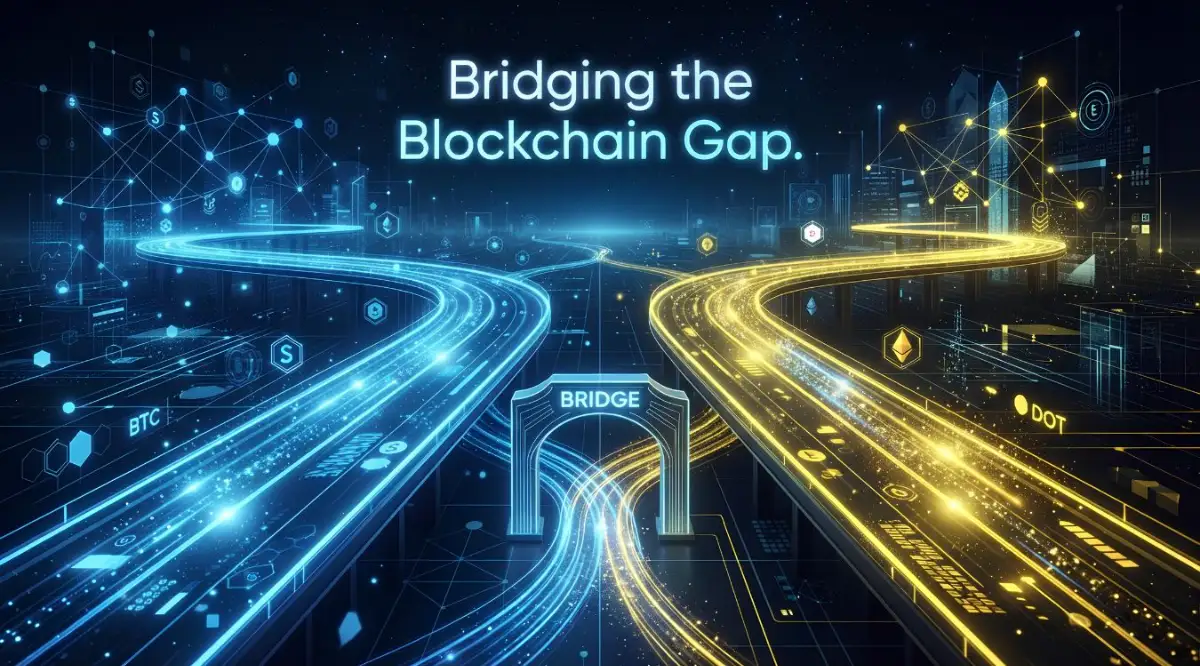
Sometimes, the token is there, but it is "wrapped." A wrapped token is like a gift card for a store. It represents the value of your coin but lives on a different network. You might need to use a "Bridge" service to move that value back to the network you originally intended to use.
I often tell my friends that a blockchain bridge is like a ferry crossing a wide river. You put your car on the ferry (the bridge) on one side, and it comes out on the other side. This is a very common way to fix a network mistake without involving a middleman or an exchange.
When you use these bridges, you have to be careful about gas fees. You will need a small amount of the native coin of that network to pay the "sailor" of the ferry. If you don't have that coin, your funds might sit there even if you can see them. This is where "Gas Faucets" come in handy to give you a tiny bit of fuel for free.
Another secret involves checking the "internal transactions" tab on the explorer. Sometimes, a transfer doesn't show up in the main history because it was triggered by a smart contract. I have seen many people panic because their main balance was zero, only to find the coins hidden in this sub-menu.
Learning to read these explorers is like learning to read a map in a new city. At first, it looks like a mess of numbers and letters. But after a few minutes, you start to see the patterns. You see where the money came from and exactly where it is resting right now.
If you are dealing with a larger amount, you might want to look into professional recovery services. However, you must be extremely careful here. Only use services that have a long history and are verified by the crypto community. Most "recovery experts" on social media are just looking to take what you have left.
I always suggest that you treat your crypto journey like a marathon, not a sprint. Taking the time to learn these technical steps makes you a much more confident investor. It helps you stay calm when others are panicking. This mindset is the real secret to building an emergency fund that actually grows over time.
Think about it like this: every mistake you fix is a lesson you won't have to pay for again. You are building a skill set that very few people in the world have. That knowledge is just as valuable as the coins you are trying to recover.
The Dark Side: Why Most People Fail to Recover Their Funds
The biggest enemy you have right now is not the blockchain. It is your own heart rate. When I see people lose their funds forever, it is usually because they acted too fast out of fear. This panic leads to "The Double Mistake," where you make a second error while trying to fix the first one.
One of the most common traps is sending more money to the same wrong address. Some people think this will "nudge" the original transaction or "verify" the link. This is a myth. The blockchain does not care about your intentions; it only follows the code you give it.
I have seen users get so upset that they start clicking on every link they find on Google. They end up on fake "wallet repair" websites that look exactly like the real ones. These sites ask for your recovery phrase to "sync" your account. The moment you type those words, your entire wallet is emptied in seconds.
This is a painful reality that many people face. They lose a small amount to a network error and then lose their entire savings to a scammer. The emotional pain of this is much worse than the original mistake. It leaves you feeling violated and angry at the whole digital world.
Another pitfall is giving up too soon. I once talked to a guy who thought he lost $2,000. He deleted his wallet app and threw away his recovery keys in a fit of rage. Two weeks later, I showed him that the money was actually recoverable. But since he threw away his keys, the money was now truly gone forever.
You must keep your recovery phrases safe, even if you think the wallet is empty. You never know when a new tool or a new exchange update will make it easy to get your coins back. In crypto, "deleted" is the only way to make a mistake truly permanent.
We also see people spamming the support teams of decentralized wallets. It is important to know that MetaMask or Trust Wallet cannot "see" your money. They are just windows. If you shout at the window because the view is bad, the view won't change. You have to learn to change the direction the window is facing.
Lastly, some people wait months to try a recovery. While the coins will stay there, the "Gas" prices on the network might go up. What cost $5 to fix today might cost $50 to fix next month. Time is not your friend when network traffic is high, so stay active and focused.
Turning a Mistake into a Long-Term Win
Looking back at my own errors, I realized they were the best teachers I ever had. You are now at a point where you can choose to be a victim or a student. If you follow these steps, you are choosing to be a student. This is the path that leads to real success in the digital space.
I want you to feel proud that you are even trying to figure this out. Most people would just walk away and lose their money. You are doing the hard work of researching and learning. This proves you have the patience required to be a successful investor in the long run.
Your future self will thank you for the hours you are spending right now. You are not just getting your coins back; you are gaining a deep understanding of how the future of money works. That is something a simple bank account can never give you.
I know this feels like a huge mountain to climb, but you are already halfway to the top. Just keep your head down, follow the logic, and don't let your emotions drive the car. You have the tools, the knowledge, and the community behind you, so take that next step with confidence.
Pro-Tips for Managing Your Digital Assets
· Always keep a small amount of native tokens (like ETH or BNB) in your wallet for gas.
· Use a hardware wallet for any amount you plan to keep for more than a month.
· Double-check the network name on the "withdrawal" page of your exchange every single time.
· Bookmark the official