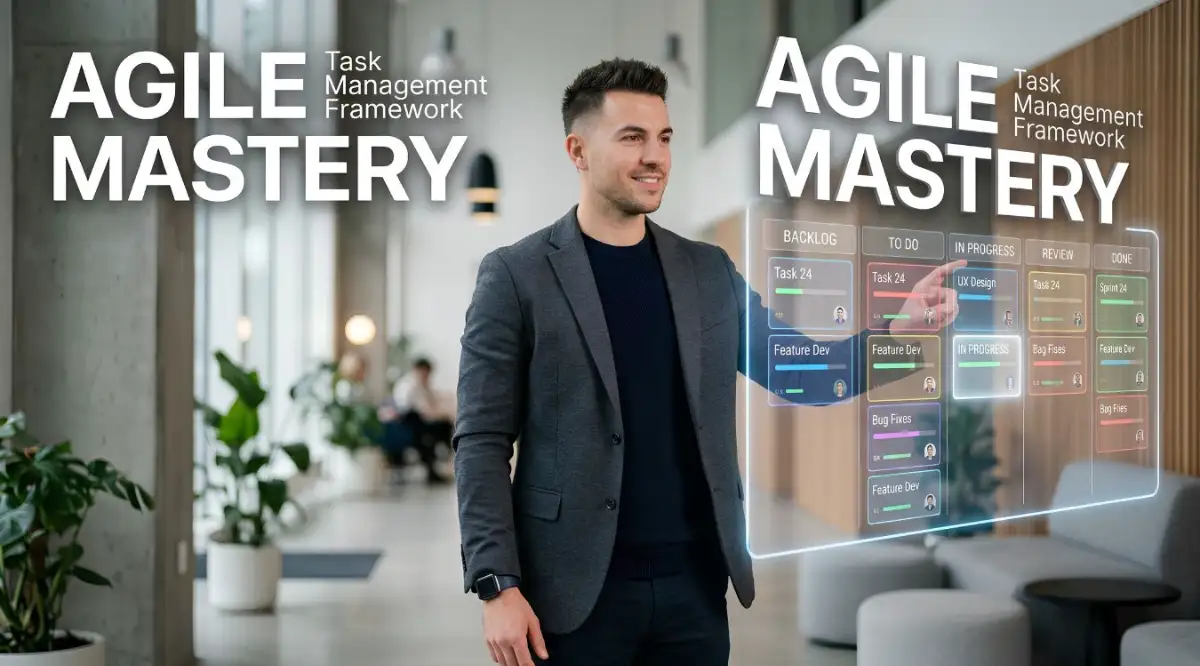
The Hidden Burnout Behind Broken Workflows

 Ever stared at your screen on a Tuesday afternoon, completely paralyzed by 47 open tabs and a project board that looks like a messy war zone? Yeah, me too. You don't need another generic lecture on time management, and you definitely don't need to work 12-hour shifts just to catch up. What you actually need is a way to stop drowning in tasks. Let's fix your broken workflow right now.

I still remember the night I almost gave up on my career in software development completely. My computer screen was entirely covered in digital sticky notes, endless unread emails, and chaotic team messages. I felt like I was drowning in an ocean of disorganized tasks. We tried so hard to follow popular agile rules, but our daily work felt like an absolute nightmare.

My mental health took a massive hit during that period of my life. I was waking up in the middle of the night, terrified that I forgot to update a specific ticket or reply to a client. I realized that just saying our team was "agile" did not fix our core problems. The truth is, without a proper structure, agility just becomes an excuse for total chaos.

Most people working in modern teams face this exact same struggle every single day. You probably start your morning with a clear plan, only to get derailed by random requests and confusing priorities. This constant context-switching destroys your focus and leaves you feeling exhausted by 3 PM.

Many teams think buying an expensive software subscription will magically solve all their problems. They spend weeks migrating data, hoping the new colorful interface will make everything better. But a tool is just a blank canvas waiting for a solid strategy.

What You Will Fix Today:

  • Stop the Brain Clutter: Why your head is a terrible place to store tasks.
  • The 2-Day Limit: A simple trick to chop giant projects into highly doable steps.
  • Automate the Annoying Stuff: How to let your software do the nagging for you.
  • Beat the Hero Syndrome: Why doing everything yourself is actually hurting your team.

Designing Your Stress-Free Project Blueprint

Before you start creating dozens of new digital boards, you must understand the basic psychology of getting things done. Your mind needs absolute clarity to function at its highest level. When a task is vague or poorly defined, your brain automatically triggers a procrastination response.

This is why we need to build a logical framework that forces clarity right from the very beginning. An advanced tracking system should work like a filter, turning messy ideas into clear, actionable steps. Let's explore exactly how to set up this environment so you can breathe easier.

Mapping Out the Brain Dump Process

The first thing you must do is stop trying to remember everything in your head. You need a dedicated, central space where every single idea, bug, and feature request goes immediately. In agile terms, we call this the ultimate product backlog.

However, a backlog can quickly become a graveyard of forgotten dreams if you are not careful. You must establish strict rules about what is allowed to enter this sacred list. Every item must have a clear description and a measurable outcome before it gets saved.

If an idea is too big, you have to break it down into much smaller pieces immediately. A good rule of thumb is that no single task should take more than two days to complete. If a task seems like it will take a week, it is actually a mini-project hiding in disguise.
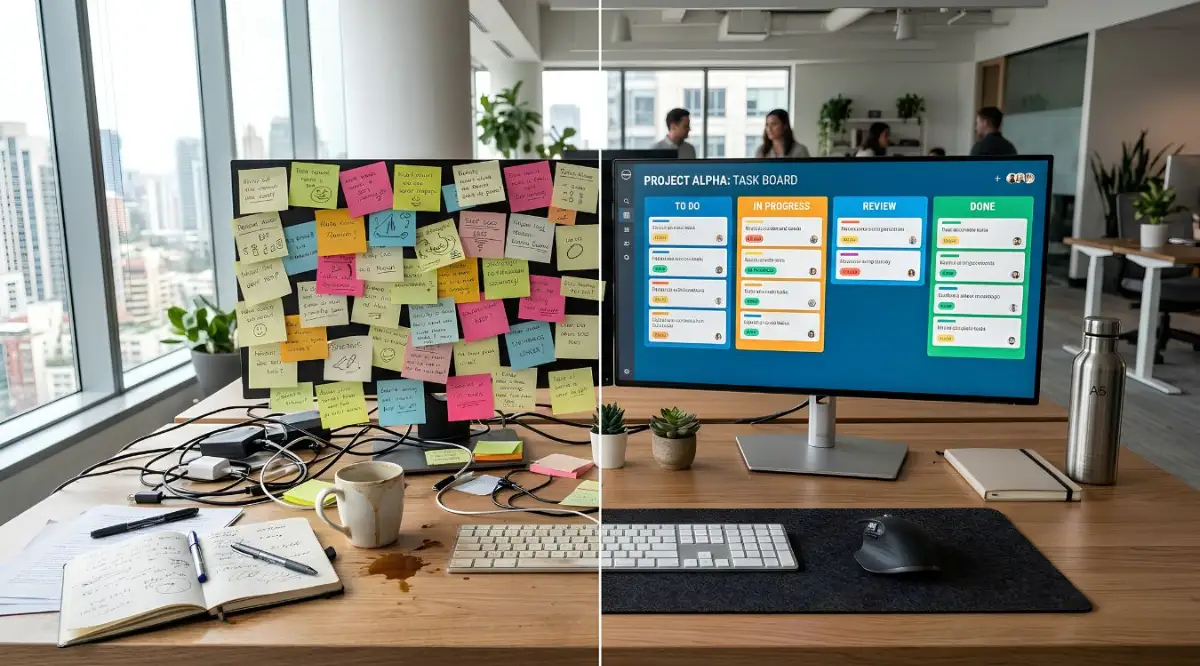
Myth vs. Fact: Task Sizing

  • The Myth: Tackling massive, week-long tasks shows you are working hard.
  • The Fact: Our brains hate vague goals. Breaking a 5-day project into five separate 1-day tasks gives you a daily hit of dopamine, which actually keeps you motivated all week long.

Why Most Teams Fail at Sprint Planning

Planning your work cycles should feel exciting, not like a painful negotiation. Many teams make the mistake of pulling way too much work into their upcoming cycle. They ignore their actual capacity and plan based on overly optimistic guesses.

To fix this, you must look at historical data within your tracking software. Most advanced platforms offer velocity charts that show exactly how much work your team actually finishes. Always plan your upcoming week based on your past reality, not your future hopes.

By leaving a 20% buffer in your schedule, you create room for unexpected emergencies. This small adjustment instantly removes the suffocating pressure of an overpacked calendar. It allows your team to handle surprise bugs without completely destroying the current plan.

Quick Math: The 80/20 Rule in Action

If your team normally works 40 hours a week, only schedule 32 hours of actual project tasks. Keep those remaining 8 hours completely open. I use this exact buffer for surprise client calls, sudden bug fixes, or simply helping out a coworker who got stuck. It changes everything.

Stop guessing and start winning! Watch this quick video to see how you can plan your week without the stress, and then keep reading to learn the visual secrets that top pros use to stay organized.

The Magic of Visual Workflow Stages

Humans are highly visual creatures, and we process images much faster than plain text. This is why setting up a clear Kanban board is an absolute game-changer for your daily routine. You need to see exactly where a piece of work is sitting at any given moment.

Do not just use the default "To Do, In Progress, Done" columns that come with most software. Customize your board to match your actual real-life processes. Add specific stages like "Waiting for Feedback," "Code Review," or "Quality Assurance."

When you map out these specific stages, you can instantly spot where the bottlenecks are happening. If the "Code Review" column is overflowing, you know exactly where to focus your team's energy today. It removes all the guesswork from your daily management meetings.

One big mistake I made early on was adding too many stages to my board, which just made more clicking and extra work for me. My rule now is to keep it simple: only add a new column if you find yourself explaining a specific "waiting" status more than three times a week. If it doesn't help you finish work faster, delete it and keep your board clean.

I used to make the terrible mistake of creating highly complex subtasks for every tiny action. I thought I was being incredibly organized, but I was actually just creating more administrative work for myself. I soon realized that keeping tasks broad enough to encourage creativity, but specific enough to track, is the real secret to staying sane.

Automating the Boring Stuff Away

Advanced tracking tools come with powerful automation features that most people completely ignore. You should not be wasting your precious energy manually assigning tickets or moving cards around. Let the software do the heavy lifting for you.

Set up simple rules that trigger automatically when a specific action happens. For example, when a card moves to the "Review" column, the system should automatically assign it to the lead tester. This completely eliminates the need to send a manual message asking someone to check your work.

You can also automate deadline reminders so nobody ever forgets a due date again. When a task is nearing its deadline, the system can smoothly alert the responsible person. Automation reduces human error and frees up your mind for deep, meaningful work.

Comparing Approaches: The Old Way vs The Smart Way

To truly understand why this transformation matters, we need to compare how we used to work with how we should work now. Seeing the difference side-by-side makes the benefits incredibly obvious. It highlights why moving away from outdated methods is a necessity, not an option.

Feature
The Outdated Traditional Approach
The Smart Agile Framework
Daily Priorities
Hidden in long email threads
Clearly visible on a shared digital board
Handling Changes
Causes panic and broken schedules
Easily adapted into the next short cycle
Team Communication
Endless status meetings
Automated updates through the tracking tool
Measuring Progress
Guesswork and verbal promises
Data-driven velocity charts and reports

As you can see, the modern approach is all about transparency and flexibility. You are no longer guessing who is doing what, because the system tells you instantly. This level of clarity completely transforms the mood and energy of a working group.

Keeping the System Clean and Healthy

Setting up a beautiful tracking board is just the first part of the journey. The real challenge is maintaining that organization over the next few months and years. Just like a physical garden, your digital workspace requires regular weeding and pruning.

Schedule a dedicated block of time every two weeks to clean up your digital environment. Archive old projects, delete duplicate tickets, and update the status of forgotten items. A messy digital workspace creates a messy mind, so keeping it clean is highly essential.

Encourage your team to take ownership of their own digital hygiene. If everyone cleans up after themselves, the system remains a joy to use for everyone involved. A well-maintained tool naturally encourages people to log in and participate every single day.

Frequently Asked Questions About Workflow Shifts

You might still have some doubts about changing your entire approach to daily work. That is a completely normal reaction when facing a shift in your daily habits. Let us look at some common questions people ask when they start this journey.

"What if my team refuses to use the new tracking software?"

The best way to get people on board is to show them how it directly benefits them. Focus on how the new system will reduce their endless meetings and stop micromanagement. When people realize it saves them time, they usually adopt it very quickly.

"How many custom tags and labels should we actually use?"

Keep it extremely simple in the beginning. Start with just three or four broad categories, like "Bug," "Feature," and "Maintenance." You can always add more complexity later when your team is comfortable with the basics.

The Psychology of Small Wins

One of the greatest benefits of an agile setup is the constant feeling of progress. Traditional projects force you to wait months before you see any real results or finished products. This long waiting period completely drains human motivation and energy.

By breaking work down into daily or weekly chunks, you create a steady stream of small victories. Every time you drag a card into the "Done" column, your brain gets a tiny hit of dopamine. This chemical reward keeps you motivated and happy throughout the entire workday.

Celebrate these small wins regularly with your teammates. During your weekly wrap-up, highlight the specific cards that were successfully completed. Recognizing consistent progress builds a strong culture of appreciation and high performance.

Protecting Your Focus Time

No matter how good your tracking software is, it cannot magically protect you from constant interruptions. You have to actively build walls around your deep work sessions. Use your tracking system to signal to others when you are unavailable.

Many advanced tools allow you to sync your tasks directly with your digital calendar. Block out two solid hours every morning purely for focused execution. Let your team know that unless the servers are literally on fire, they should not disturb you.

When you combine a highly organized task board with protected time, your productivity will absolutely skyrocket. You will find yourself finishing a week's worth of work in just a few days. Best of all, you will end the day feeling accomplished instead of completely drained.

Customizing the Experience for Different Roles

A software engineer processes information very differently than a marketing specialist or a graphic designer. Your workflow system needs to be flexible enough to accommodate these totally different working styles. Forcing everyone into the exact same rigid view usually causes massive frustration.

Allow individual members to save their own custom views and personalized filters. A developer might prefer a dense list view sorted by priority and technical tags. Meanwhile, a designer might need a highly visual gallery view showing image attachments and mockups.

When people can organize their own visual space, they feel a much stronger sense of control. Personalization is the key to making a company-wide tool feel like a helpful personal assistant. This small adjustment prevents the tool from feeling like a strict corporate mandate.

Mastering the Art of the Retrospective

You cannot improve your daily habits if you never stop to actually analyze them. The retrospective is arguably the most powerful part of any modern working framework. It is a dedicated time to look back and ask, "What is currently breaking our process?"

Do not use this time to blame people for missed deadlines or mistakes. Instead, focus entirely on the system and how the workflow itself can be improved. Maybe your task descriptions are too vague, or maybe your automated rules are sending too many notifications.

Write down exactly what you want to try differently in the upcoming week. Create a specific task card for this improvement and place it directly into your new sprint. Treating your own process improvements as real tasks ensures they actually get done.

Expanding Beyond the Basics

Once you have mastered the simple art of moving cards from left to right, you can explore deeper strategies. Advanced tracking setups allow you to track the exact time spent on different phases of a project. This data is incredibly valuable for predicting how long future projects will take.

You can also start using custom fields to track specific metrics like budget impacts or client satisfaction scores. Just remember to only track data that you will actually use to make decisions. Collecting numbers just for the sake of collecting them will only clutter your beautiful system.

Ultimately, your goal is to build a digital environment that feels like a natural extension of your mind. It should be a quiet, organized place that guides you safely through the chaos of modern work. By following these logical steps, you are actively building a foundation for a much happier professional life.

 Moving Beyond the Basics to Achieve True Workflow Mastery

Once you successfully set up your visual boards and basic daily routines, you will immediately notice a huge drop in workplace stress. But getting comfortable with the basics is just the beginning of your journey. If you truly want to master your daily operations, you need to understand the hidden mechanics that make top-performing teams so successful.

The most successful groups do not just use software to track their tickets. They use these platforms to build a completely transparent and trusting culture. Let us explore some highly effective strategies that go far beyond simply moving colorful digital cards from left to right.

The Power of Limiting Your Active Work

One of the greatest secrets to finishing projects faster is actually starting fewer of them at the same time. This concept is heavily based on setting firm limits on your active tasks. In the professional world, this is known as managing your Work In Progress, or WIP.

Think of your workflow exactly like a busy highway during morning traffic. If you pack too many cars onto the road at once, everything completely stops moving. A highway actually flows much faster when there is open space between the vehicles.

Your brain and your digital workspace operate on this exact same principle. When you limit your active tasks to just two or three items per person, the flow of work becomes incredibly smooth. You naturally force yourself to finish what you started before picking up a shiny new idea.

To see the math behind this, you can look at the Lean Enterprise Institute's breakdown of workflow capacities. They mathematically prove that capping your current workload directly increases your overall output. It sounds strange at first, but doing less at once actually helps you accomplish much more.

Establishing the Ultimate Definition of "Done"

Almost every team argues about whether a specific task is actually finished or not. A developer might write the code and confidently declare the job is complete. However, the testing engineer might completely disagree because the feature has not been checked for bugs yet.

These misunderstandings completely destroy your planned schedules and create terrible friction between coworkers. To solve this, your team must create a shared checklist known as the "Definition of Done." This is a strict set of rules that every single task must pass before it reaches the final column.

Your specific definition might include rules like passing a peer review, updating the customer documentation, and running security tests. When these rules are clearly attached to your digital tracking boards, all the emotional arguments simply disappear.

You cannot ignore the small details if you want a stable system. Similar to how a smart personal budget requires building an emergency fund without ignoring your debt, a smart project plan requires a strict quality checklist without ignoring ongoing technical issues. You have to secure your foundation before you can safely move forward.

Treating Technical Debt Like Real Debt

When you rush to finish a project, you often take shortcuts in your actual work quality. In the software industry, we call these hidden shortcuts "technical debt." Just like borrowing money from a bank, these messy shortcuts will eventually demand to be paid back with massive interest.

Many groups make the mistake of completely ignoring this background mess. They keep building shiny new features while their core foundation slowly rots away. Eventually, the entire system becomes so fragile that adding a simple button takes three weeks of painful effort.

You must actively schedule time to clean up this hidden mess inside your daily management tool. I highly recommend dedicating at least one full day every two weeks strictly to paying off technical debt. Treat these cleanup tasks with the exact same respect you give to brand new customer requests.

Mastering Asynchronous Updates

We have all sat through daily meetings that felt like a complete waste of our precious morning hours. When every person spends ten minutes explaining what they did yesterday, the whole group loses focus. Your digital platform should actually replace these boring verbal status updates.

The secret is to leave detailed, specific comments on your task cards before you log off for the day. If you get stuck on a problem, write down exactly what you tried and where you need help. This allows your coworkers to read your updates on their own time, without scheduling a stressful video call.

According to Harvard Business Review's research on healthy team dynamics, trusting your peers to manage their own time asynchronously builds a much stronger work culture. People feel respected when they can read updates quietly instead of being forced into unnecessary meetings.

When onboarding brand new team members to this asynchronous style, avoid using confusing internal jargon. Treat the training process just like understanding health deductibles and co-pays. You need to break the complex rules down into very simple, easily digestible pieces so they do not feel lost.

The Silent Traps That Destroy Team Productivity

Even with the best intentions and the most expensive software, things can easily go wrong. I have seen highly talented groups completely fall apart because they misused their digital tools. Recognizing these common traps early is the best way to protect your mental health and your daily output.

Let us look closely at the worst habits that quietly ruin modern workflows. If you can simply avoid these specific mistakes, you are already doing better than the vast majority of companies out there.

Turning Software Into a Surveillance Camera

The absolute fastest way to destroy team morale is to use your tracking tool as a spying device. Some managers obsessively watch how many hours a person spends on a single card. They start questioning every tiny delay and demanding perfectly accurate time logs.

Your tracking software is supposed to be a helpful map, not a set of handcuffs. When you micromanage people through a digital dashboard, they stop being honest about their struggles. They will start marking tasks as "finished" just to avoid getting scolded by their boss.

If your virtual environment becomes hostile or overly critical, you have much bigger problems than missed deadlines. Maintaining a fair, supportive atmosphere is just as important as documenting workplace discrimination before seeking legal help. You have to protect your people first, and manage the work second.

The "Hero Syndrome" Bottleneck

Every group usually has that one incredibly talented person who wants to fix everything single-handedly. We call this the hero syndrome. While their dedication seems amazing at first, it actually creates a massive bottleneck for the rest of the group.

When one person holds all the hardest tasks, the digital board becomes completely unbalanced. If that "hero" gets sick or decides to take a vacation, the entire project comes to a terrifying stop. Nobody else knows how to handle the complex tickets because they were never given the chance to try.

You must actively prevent this by forcing knowledge sharing across the board. Pair your junior members with your senior experts on those difficult tickets. A healthy tracking board shows work distributed evenly, not piled up next to one specific profile picture.

You can read more about balancing team workloads effectively through the Agile Alliance's core principles guide. They heavily emphasize that cross-functional sharing is the only real way to build a resilient, long-lasting group.

Skipping the Review Phase

When you finally finish a highly stressful week of work, you probably just want to close your laptop and rest. Because of this natural exhaustion, many teams completely skip their weekly review sessions. They immediately jump into the next pile of work without ever looking back.

This is a terrible mistake because you lose the opportunity to learn from your recent struggles. If you never discuss why a specific feature took twice as long as expected, you will make that exact same error next week. You are basically choosing to stay stuck in a loop of bad habits.

Your retrospective meeting does not need to be a long, boring presentation. Keep it strictly under forty-five minutes. Ask just three simple questions: What made us smile this week, what drove us crazy, and what is one small thing we can change on our board tomorrow?

Forcing Rigid Rules on Creative Work

Some project leaders try to create an exact, step-by-step template for every single task. They require ten different custom fields to be filled out before a card can even be created. They think this extreme level of detail proves they are highly organized.

In reality, creating too many mandatory fields just frustrates the people trying to do the actual work. Creative problem solving, like writing code or designing interfaces, requires a certain amount of open flexibility. If the tool feels like doing taxes, your team will simply avoid using it.

Start with a very bare-bones setup. Let your team naturally tell you when they need an extra label or a new workflow column. The Project Management Institute frequently notes that the most successful systems evolve slowly over time, rather than being forced upon a team on day one.

Stepping Into a More Organized Future

We have covered a massive amount of ground today, from stopping the chaos of messy backlogs to building a culture of deep trust. The most important thing to remember is that software tools are just empty vehicles. Your daily habits, your team communication, and your willingness to adapt are the real engines of success.

You do not need to implement every single strategy we discussed all at once. In fact, trying to change too many things today will probably just overwhelm you. Pick one simple concept, like cleaning up your old tickets or writing a better "Definition of Done", and start there.

Every tiny improvement you make to your digital workspace buys you a little bit more mental peace. Over a few months, these small changes stack up into a completely transformed daily experience. You will transition from feeling constantly behind schedule to feeling completely in control of your destiny.

My personal journey with this was incredibly bumpy at first, but I promise the effort is worth it.

I went from waking up with terrible anxiety about lost tasks to genuinely enjoying my morning coffee before checking my perfectly organized board. Take that very first step today by cleaning up just one messy column, and watch how quickly your mind starts to clear up!

Common Questions About Digital Workflow Systems

Does a small group really need specialized tracking software?

Yes, absolutely. Even if you are a team of just three people, relying on chat messages and emails will quickly lead to lost information. A dedicated tracking board acts as your single source of truth, preventing arguments and keeping everyone perfectly aligned on the daily goals.

How do you handle someone who refuses to update their tickets?

Do not attack them personally or complain in front of others. Sit down with them privately and ask if the tool is too confusing or if the process feels too slow. Often, people resist updating their cards because the software requires too many unnecessary clicks, so simplifying the board usually solves the problem.

What is the ideal length for a standard work cycle?

For most modern teams, a two-week cycle is the absolute sweet spot. One week often feels way too rushed, causing massive stress and burnout. A cycle longer than three weeks usually causes people to lose their sense of urgency, leading to procrastination.

Can we use these visual methods outside of software engineering?

Definitely. These visual management principles work beautifully for marketing campaigns, event planning, and even complex legal cases. Any project that requires multiple steps and team collaboration will massively benefit from a clear, stage-by-stage visual tracking board.

What should we do when an urgent request interrupts our planned cycle?

First, you must ask the person requesting the change if this emergency can safely wait until the next planning session. If it is truly a critical emergency, you must actively remove an equal amount of planned work from your current board to make room for it. Never just add more work without balancing the scale.

You don't have to be perfect at this on your very first day. Just start small and give yourself permission to fix your workflow as you goβ€”you truly deserve to finish your workday feeling proud and calm instead of completely exhausted.

Disclaimer: The strategies and opinions shared in this article are for educational and informational purposes only. Every team environment is unique, and you should always tailor your project workflows to fit your specific company policies and personal capabilities. We do not endorse any specific commercial software, and we recommend consulting with a certified workflow specialist for complex organizational restructuring.